Refill Due Date Calculator1.1
Publisher Description
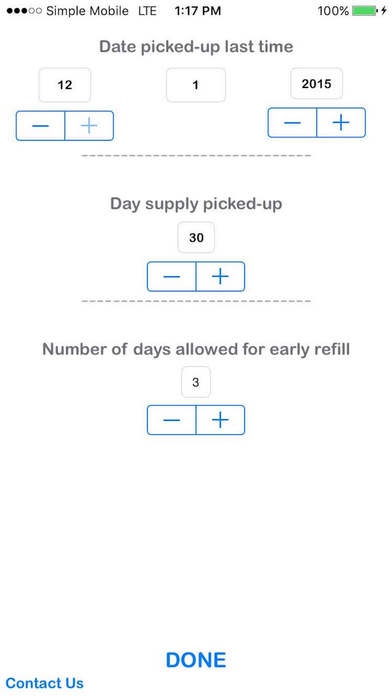
The one and only app to determine when to write or fill a prescription based on the last fill date. This app will save you the time and effort associated with trying to determine when a patient can get the next fill, especially on narcotics!
A time-saver! How many times you pause doing more important work to calculate if this patient can get this Rx filled or not? This app does it for you!- In less than 3 seconds! Just put in the last fill date, day-supply prescribed and hit submit!
Avoid unnecessary interaction with regulatory agencies and never authorize or dispense a prescription before it's due date!
This app is must-have for health providers like: Physicians, Physician Assistants, Nurse Practitioners, Pharmacists and other health professionals associated with prescribing and dispensing medications.
For patients and caregivers; avoid your prescription (or your request to get one) denied. Calculate your refill due date in a second or two!
Please share with your staff and friends!
Thank you for downloading our app!
Requires iOS 7.1 or later. Compatible with iPhone, iPad, and iPod touch.
About Refill Due Date Calculator
The company that develops Refill Due Date Calculator is Fahad Al Haidari. The latest version released by its developer is 1.1. This app was rated by 3 users of our site and has an average rating of 1.8.
To install Refill Due Date Calculator on your iOS device, just click the green Continue To App button above to start the installation process. The app is listed on our website since 2016-02-03 and was downloaded 1,373 times. We have already checked if the download link is safe, however for your own protection we recommend that you scan the downloaded app with your antivirus. Your antivirus may detect the Refill Due Date Calculator as malware if the download link is broken.
How to install Refill Due Date Calculator on your iOS device:
- Click on the Continue To App button on our website. This will redirect you to the App Store.
- Once the Refill Due Date Calculator is shown in the iTunes listing of your iOS device, you can start its download and installation. Tap on the GET button to the right of the app to start downloading it.
- If you are not logged-in the iOS appstore app, you'll be prompted for your your Apple ID and/or password.
- After Refill Due Date Calculator is downloaded, you'll see an INSTALL button to the right. Tap on it to start the actual installation of the iOS app.
- Once installation is finished you can tap on the OPEN button to start it. Its icon will also be added to your device home screen.
